Computer Systems and Organisation — Class 11 CBSE Computer Science revision notes
A 4-page visual revision sheet for Computer Systems and Organisation, written for Class 11 CBSE Computer Science. Formulas, diagrams and the traps that cost marks, laid out to be read the night before rather than the term before. Free, and it opens inside CapCompass.
 Page 1 as PDF
Computer Systems and Organisation in one look
how a machine holds data, decides logic, and counts in three bases besides its own
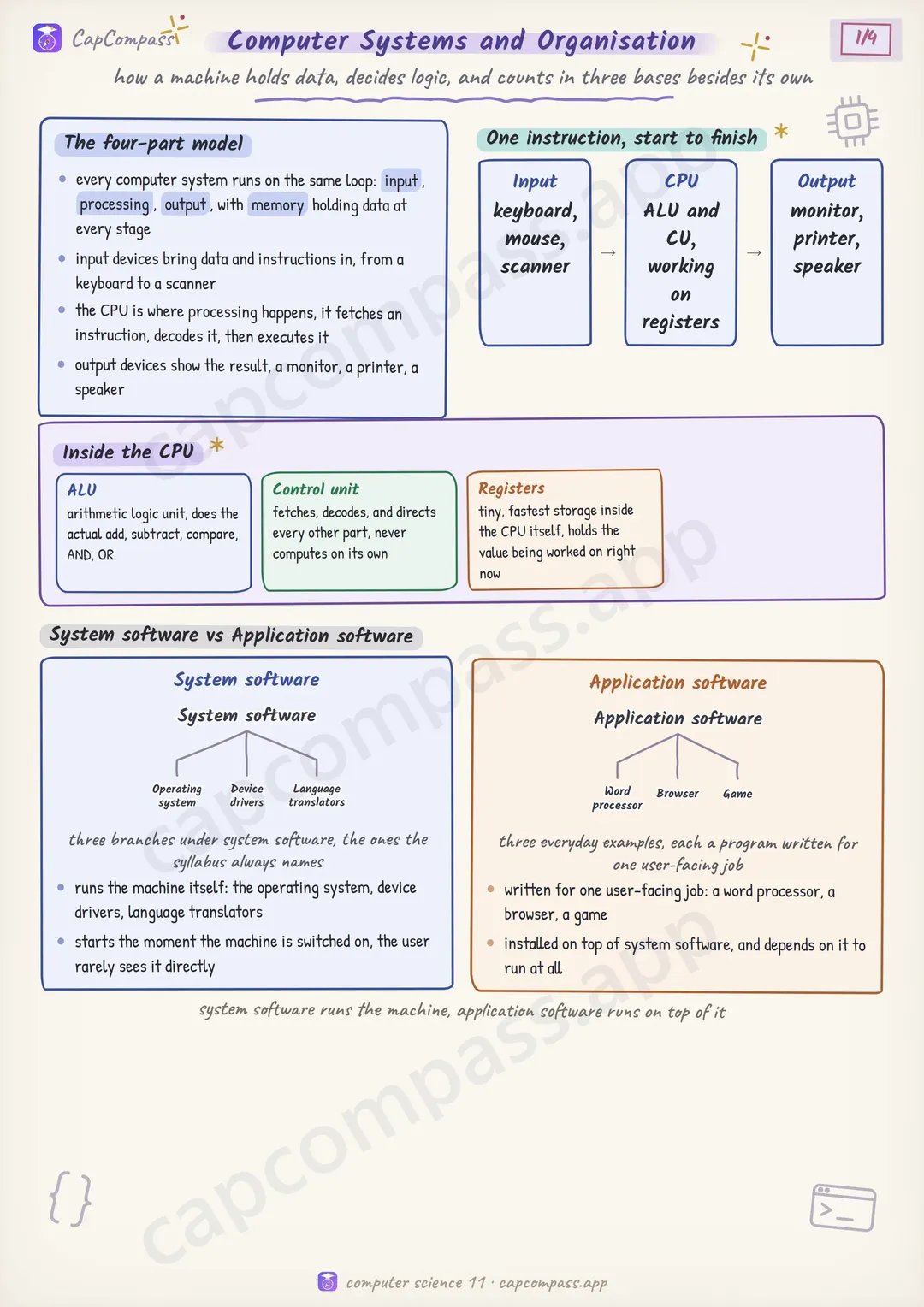
The four-part model
- every computer system runs on the same loop: input, processing, output, with memory holding data at every stage
- input devices bring data and instructions in, from a keyboard to a scanner
- the CPU is where processing happens, it fetches an instruction, decodes it, then executes it
- output devices show the result, a monitor, a printer, a speaker
One instruction, start to finish
- Input
- CPU
- Output
Inside the CPU
- ALU: arithmetic logic unit, does the actual add, subtract, compare, AND, OR
- Control unit: fetches, decodes, and directs every other part, never computes on its own
- Registers: tiny, fastest storage inside the CPU itself, holds the value being worked on right now
System software vs Application software
- runs the machine itself: the operating system, device drivers, language translators
- starts the moment the machine is switched on, the user rarely sees it directly
- written for one user-facing job: a word processor, a browser, a game
- installed on top of system software, and depends on it to run at all
Page 1 of 4. The full sheet, all 4 pages, opens free in the app.
What this Computer Systems and Organisation sheet covers
- The four-part model
- One instruction, start to finish
- Input
- CPU
- Output
- Inside the CPU
- ALU
- Control unit
- Registers
- System software vs Application software
- System software
- Application software
- Compiler vs Interpreter
- Compiler
- Interpreter
- Memory hierarchy, closer costs more
- Memory and storage units, the 1024 rule
- 1 byte
- 1 KB
- 1 MB
- 1 GB
- 1 TB
- Primary vs Secondary memory
- Primary (RAM, ROM, cache)
- Secondary (HDD, SSD, pen drive)
- Terms that show up as one-liners
- Boolean operators, quick truth
- AND
- OR
- NOT
- De Morgan's laws
- NOT (A AND B)
- NOT (A OR B)
- Boolean expressions, built the same way as arithmetic ones
- Number systems: the four bases
- 25 to binary, repeated division by 2
- Hex and octal, grouped straight from binary
- 25 as binary, padded
- grouped in 4s, hex digit each
- grouped in 3s, octal digit each
- Two's complement, how negatives actually sit in memory
- Traps that cost marks
- Tricks that save time
How CapCompass uses this sheet
These notes are not a standalone PDF. CapCompass plans Computer Science chapter by chapter against your real exam dates and free hours, and when the plan reaches Computer Systems and Organisation the sheet opens inside the study block itself — at the page covering the sub-topic that block is on, with the timer still running. Revision arrives at the moment the plan says revise, instead of having to be gone looking for.